123 ToDo โ€” The Free, Private
Task Manager & To-Do List App

The simple, stress-free way to organize your day, track your to-do lists, and clear mental clutter.
Zero-Knowledge Cloud Sync across iPhone, Android, Mac & PC with complete data privacy. 100% FREE. The ultimate private alternative to Todoist, TickTick, Google Keep, and Microsoft To Do.

Why Choose 123 ToDo?

Turn Daily Chaos into Calm & Clarity

Discover how effortless organization frees your mind, eliminates daily overwhelm, and helps you reclaim control over your time.

De-Stress Your Mind

Stop keeping tasks trapped in your head. Offload to-dos instantly into organized lists so you can relax, focus, and enjoy your day without burnout.

Clear Daily 1-2-3 Priorities

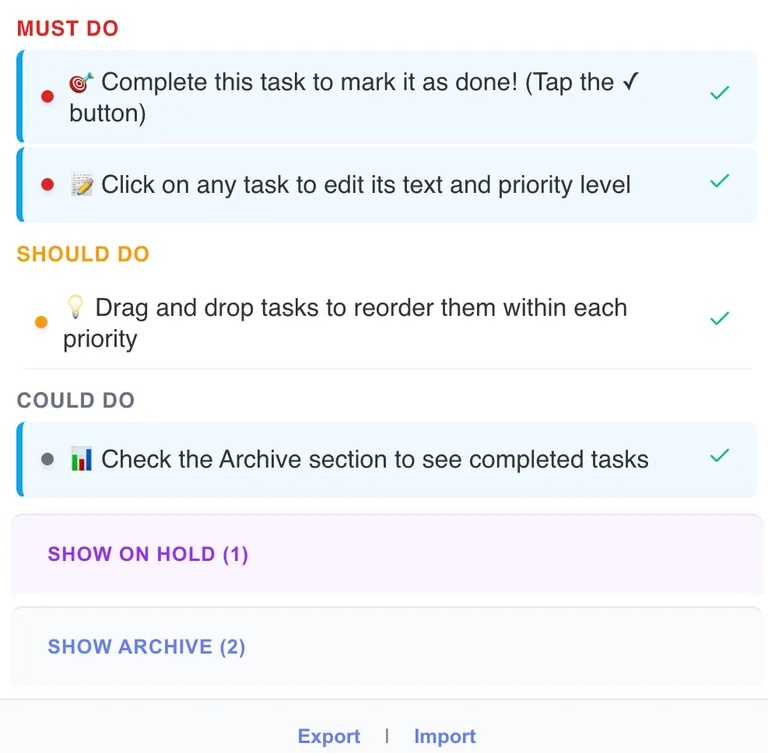
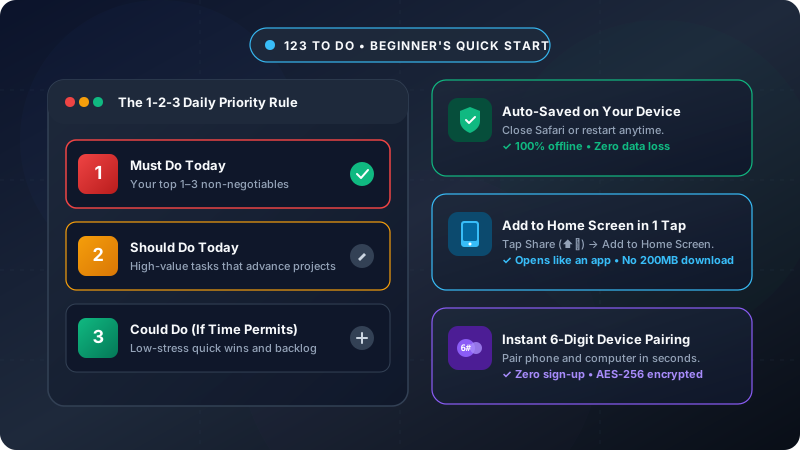
Focus on what truly matters today using 4 simple buckets: Must Do (P1), Should Do (P2), Could Do (P3), and On Hold. Eliminate decision fatigue instantly.

Reclaim Free Time

When your day is organized, tasks get done faster. Finish work earlier, avoid last-minute rushes, and make room for family, hobbies, and rest.

100% Free, Instant Start

No registration, no passwords, no email verification, and no credit card required. Open the app and be organized in under 60 seconds.

Features & Capabilities

Everything you need in a modern task manager & to-do app

Engineered for ultimate simplicity, zero-knowledge privacy, and daily productivity flow

๐Ÿ† 10-Tier Milestones & Gamified Productivity Points

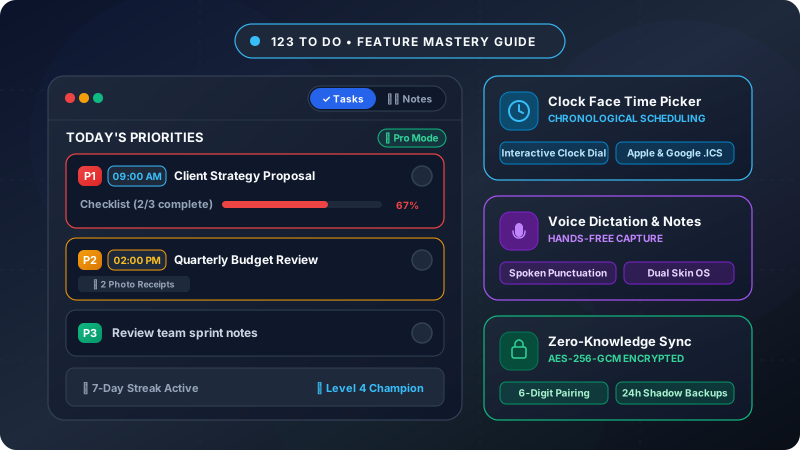
Earn points (+10 task, +2 subtask, +15 streak) and advance through 10 progressive achievement ranks from Focused Starter ๐ŸŒฑ to 123 Immortal ๐Ÿ‘‘ with milestone badges and streak tracking.

๐ŸŽ™๏ธ Dual Skin Modes: Task Manager vs. Simple Voice Notes

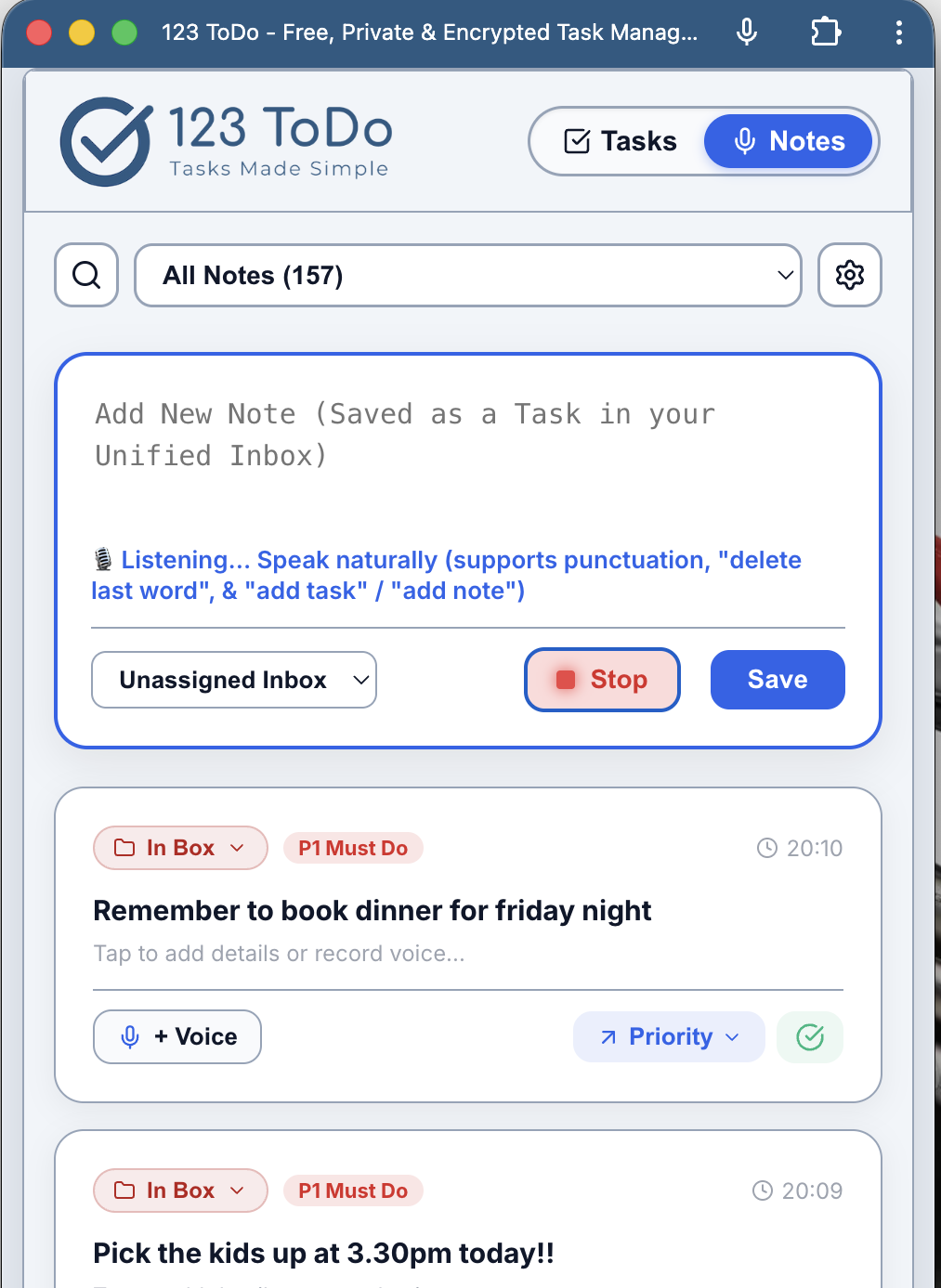
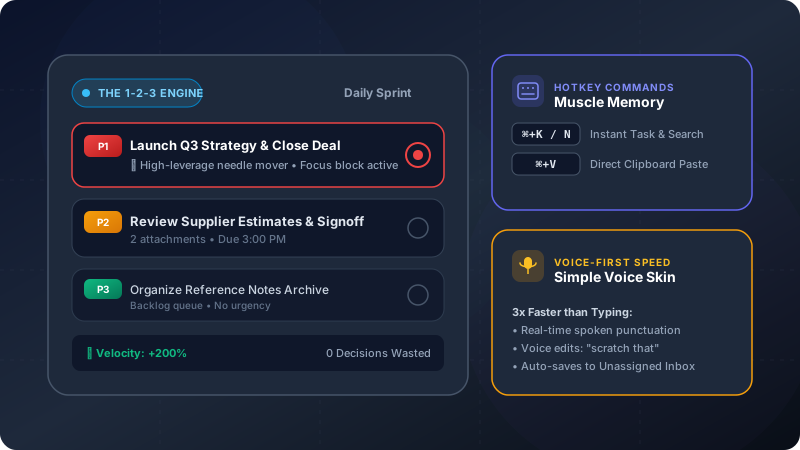
Switch instantly between a structured Task Manager (P1-P4 matrix) and a Simple Voice Notes mode with extra-large text, instant hands-free dictation, and unassigned inbox triage for field contractors & trades.

๐ŸŽค Continuous Voice Dictation & Spoken Commands

Dictate tasks & notes naturally on the go. Auto-formats spoken punctuation ("comma", "full stop"), auto-capitalizes sentences, and auto-saves hands-free by saying "add task" or "add note".

๐Ÿ“‹ Drag-and-Drop Subtasks & Line Wrapping

Break large goals into multi-line checklist steps. Easily reorder subtasks via drag-and-drop handles and preview progress bars directly on task cards.

๐Ÿ›ก๏ธ Zero-Knowledge E2EE Cloud Sync

Keep your tasks synchronized in real-time across iPhone, iPad, Android, Mac, and Windows PC. Powered by client-side AES-256-GCM encryption with 6-digit device pairing codes.

๐Ÿ“ฆ Universal 1-Click Multi-Competitor Importer

Switch away from paid tools in seconds. Easily import your entire setup from Todoist (CSV), TickTick (Backup CSV), Google Keep (JSON), Google Tasks (JSON), and Microsoft To Do (CSV).

โšก 100% Offline Progressive Web App (PWA)

Install 123 ToDo directly to your mobile home screen or desktop. Works completely offline with 24-hour automated local shadow backups and persistent storage protection.

๐Ÿ“… Smart Scheduling & Custom Recurrence Rules

Schedule tasks for Today, Tomorrow, or specific weekdays. Set automated recurring tasks (e.g., every 3 days, every 2 weeks, or every Monday) that roll over automatically upon completion.

๐ŸŽจ Color-Coded Projects & Kanban Column Views

Organize tasks into custom project folders with custom colors. On desktop wide screens, view your workspace grouped either by Priority tiers or Project Kanban columns.

๐Ÿ” Space-Efficient Note Previews

Tasks with attached notes display a clean single-line preview underneath the title for fast scanning without cluttering your priority lists.

๐Ÿ”ฅ Never-Break-the-Chain Daily Streaks

Build compounding daily productivity habits. Track your active daily completion streak and celebrate milestone achievements in the header.

๐Ÿ’ธ 100% Free Forever โ€” No Subscriptions

Enjoy uncapped tasks, unlimited projects, unlimited note lengths, and full sync features with zero premium paywalls, ads, or tracking.

App Comparison

Why 123 ToDo is the Best Alternative to Subscription Apps

Looking for a free alternative to Todoist, TickTick, Google Keep, or Microsoft To Do? See how 123 ToDo delivers enterprise-grade features without the monthly fees.

Feature123 ToDoTodoistTickTickGoogle Keep / Tasks
Cost & Subscription100% Free Forever$4โ€“$6 / month$3 / monthFree (Data Tracked)
Data Privacy & SecurityZero-Knowledge AES-256-GCMServer PlaintextServer PlaintextGoogle Scanned
10-Tier Milestones & StreaksIncluded Free (10 Levels)Karma SystemAchievement ScoreNone
Dual Skins (Tasks + Voice Notes)1-Tap Instant ToggleTasks OnlyTasks OnlySeparate Apps
Voice Dictation & Auto-CommandsNative Hands-Free SpeechBasic Keyboard MicBasic Keyboard MicBasic Audio Memo
Universal Competitor Migration1-Click 5-App ImporterManual / PartialPartialNone
Offline PWA & Daily BackupsAutomated 24h Shadow BackupsPro Tier OnlyPremium OnlyLimited

Versatile Operating System

One Free App, Two Powerful Modes

Designed for both field work & office focus

Whether you are on a construction site taking quick site measurements or at your desk planning your week, 123 ToDo adapts to your workflow seamlessly.

๐ŸŽ™๏ธ Simple Voice Notes Mode

Extra-large text, high contrast, and rapid voice dictation controls designed for builders, contractors, and busy professionals on site. Speak measurements, materials, or updates hands-free without worrying about project tagging upfront.

๐Ÿ“‹ Task Manager Mode

Structured priority matrix (P1 Must Do, P2 Should Do, P3 Could Do, P4 On Hold) with subtask checklists, due dates, drag-and-drop reordering, and attached notes.

๐Ÿ”„ Unified Cross-Platform Dataset

Switch skins at will with a 1-tap header toggle. All notes and tasks live in the exact same dataset and sync automatically across all your devices via zero-knowledge Cloudflare D1 or Google Drive sync.

How It Works

Get organized in 3 simple steps

No learning curve required

Start managing your tasks immediately. 123 ToDo is designed to be intuitive and straightforward, so you can focus on getting things done instead of learning complex software.

1. Add Your Tasks or Voice Notes

Quickly type or speak tasks with our simple interface. Attach subtask checklists or notes with zero limits.

2. Set Daily 1-2-3 Priorities

Organize your workload into Must Do (1), Should Do (2), and Could Do (3) buckets. Drag and drop to reorder tasks or move across categories.

3. Complete, Level Up & Build Streaks

Check off completed tasks to earn Productivity Points, maintain your daily focus streak, and advance through 10 progressive achievement ranks!

Privacy First

Your data stays 100% yours

Built for privacy, designed for simplicity

In an age of constant surveillance and subscription fatigue, 123 ToDo offers a refreshing, 100% free alternative. We don't want your data, and we don't need it to provide you with world-class task management.

Zero-Knowledge Client-Side Encryption

Your tasks and notes are encrypted with AES-256-GCM directly on your device before sync. Neither we, Cloudflare, Google, nor third parties can read your private data.

No Registration Required

No email, no password, no account required. Start using immediately on web, iOS, Android, Mac, or Windows without giving up personal data.

Zero Data Lock-In Guarantee

Export your complete workspace data as a JSON backup anytime with 1 click, or migrate seamlessly between devices with 6-digit sync codes.

Latest from our blog

View all posts ยป

Expert productivity guides, time management strategies, and feature updates.

Ready to simplify your to-do lists?

Start organizing your tasks today. No signup required, zero cost, completely private.